
Step 1: Open account registration
On the NMB MATCH sign-in screen, tap Create Account.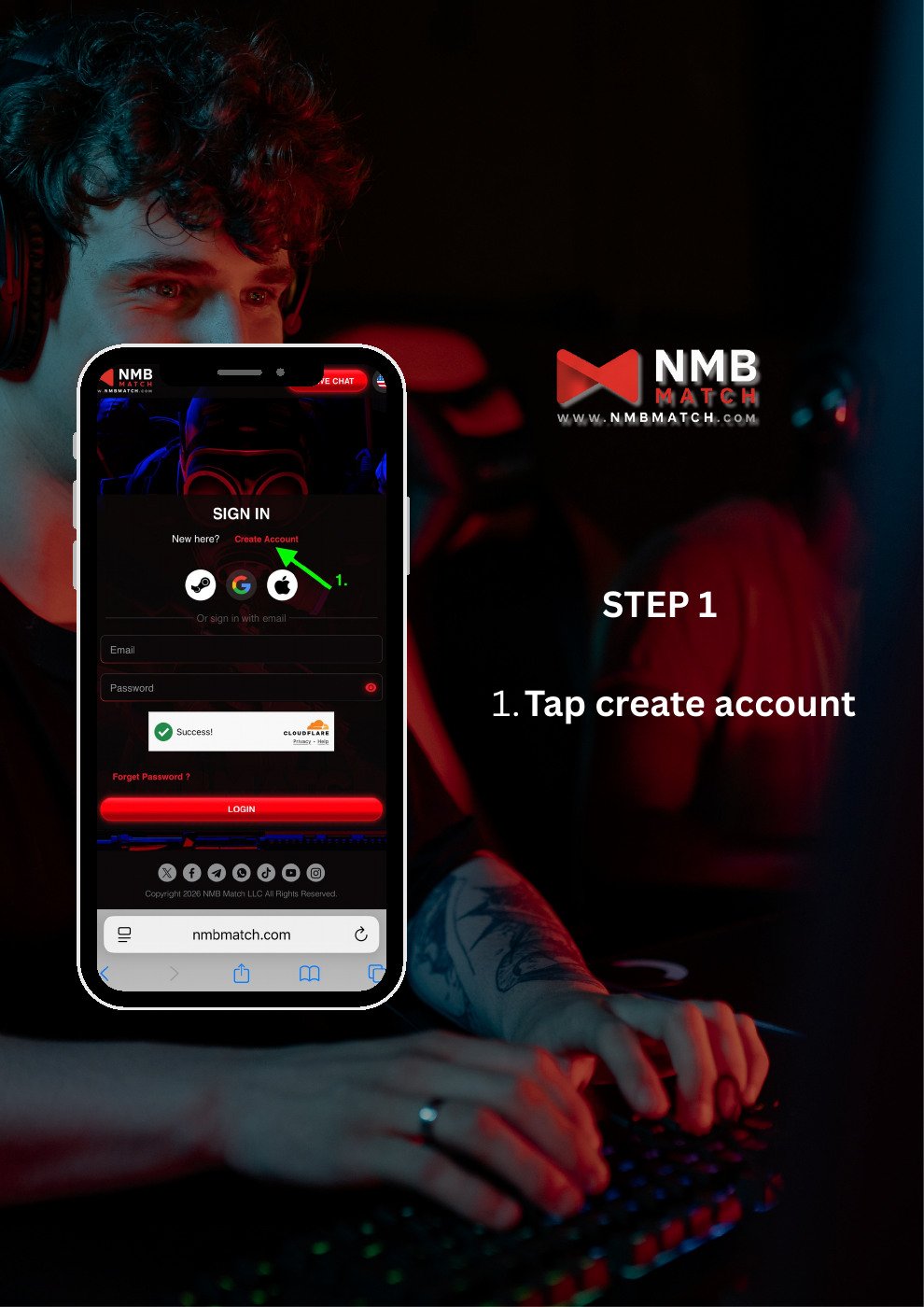
Step 2: Enter your email and invitation code
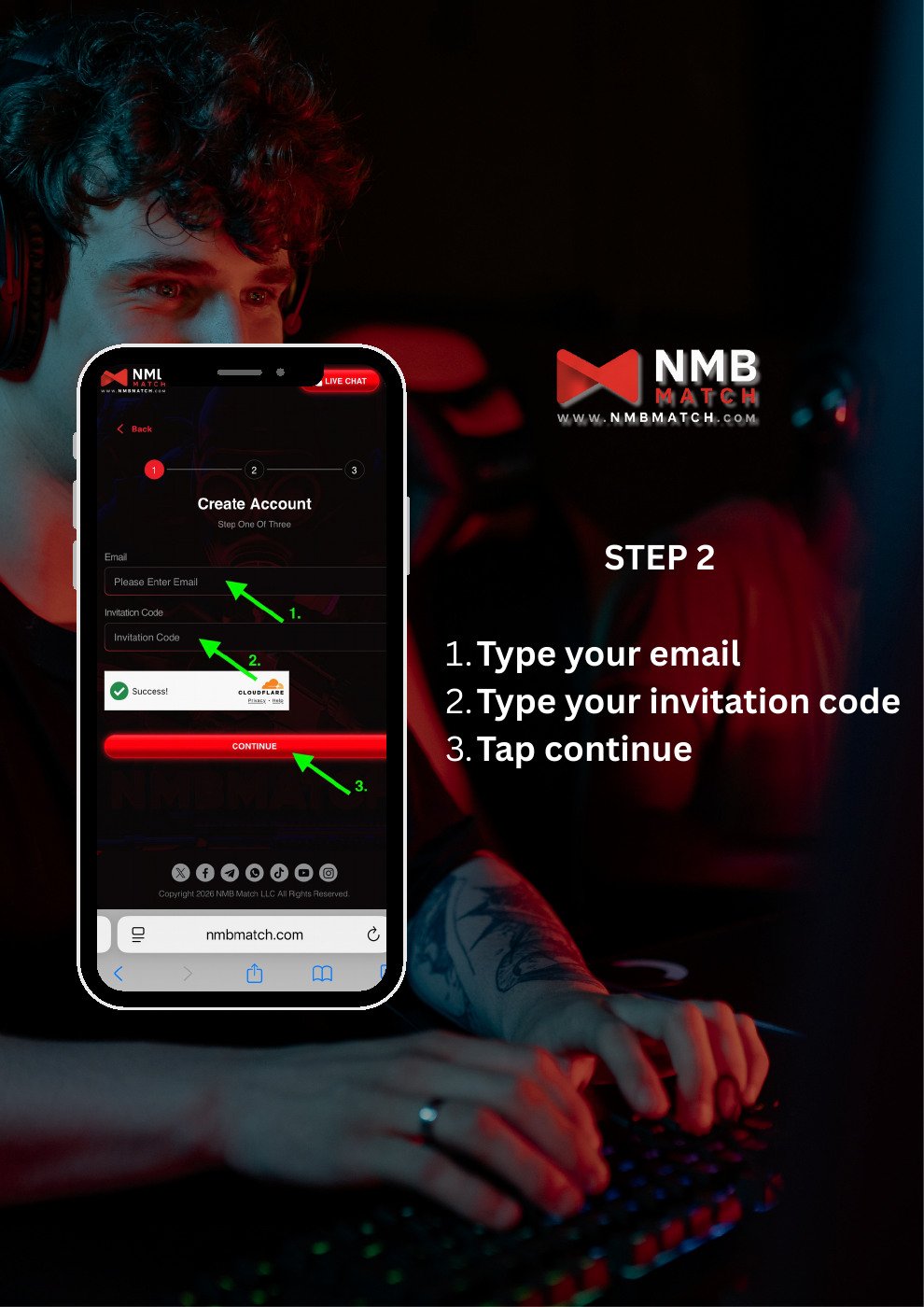
- Enter your email address.
- Enter your invitation code.
- Complete the on-screen verification if prompted.
- Tap Continue.
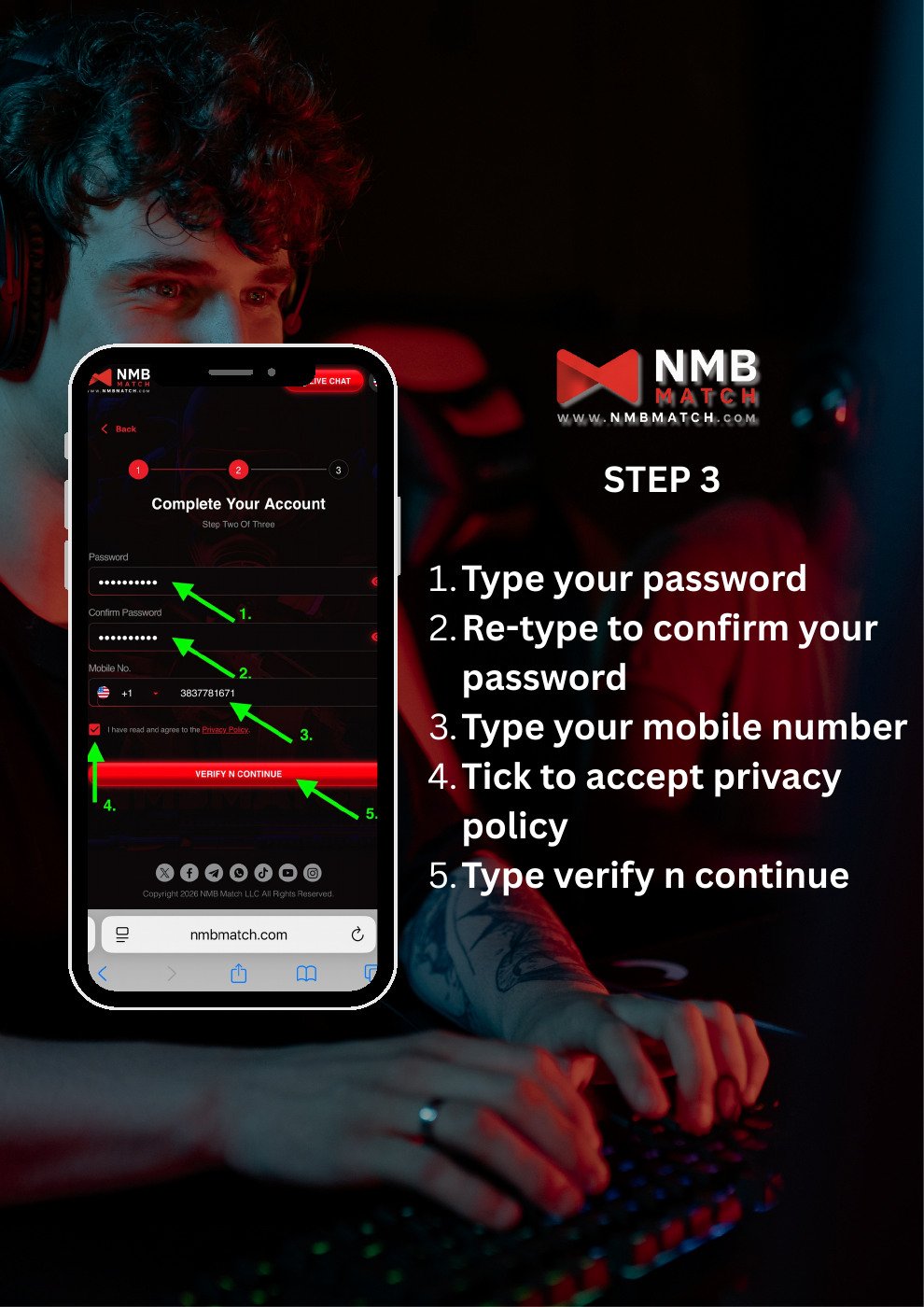
Step 3: Complete your account details
- Enter a password.
- Enter the same password in Confirm Password.
- Select your country code and enter your mobile number.
- Read the Privacy Policy and select the agreement checkbox if you agree.
- Tap VERIFY N CONTINUE.
Step 4: Request a verification code
On the contact verification screen, tap Send Code. Check the email inbox for the address used during registration.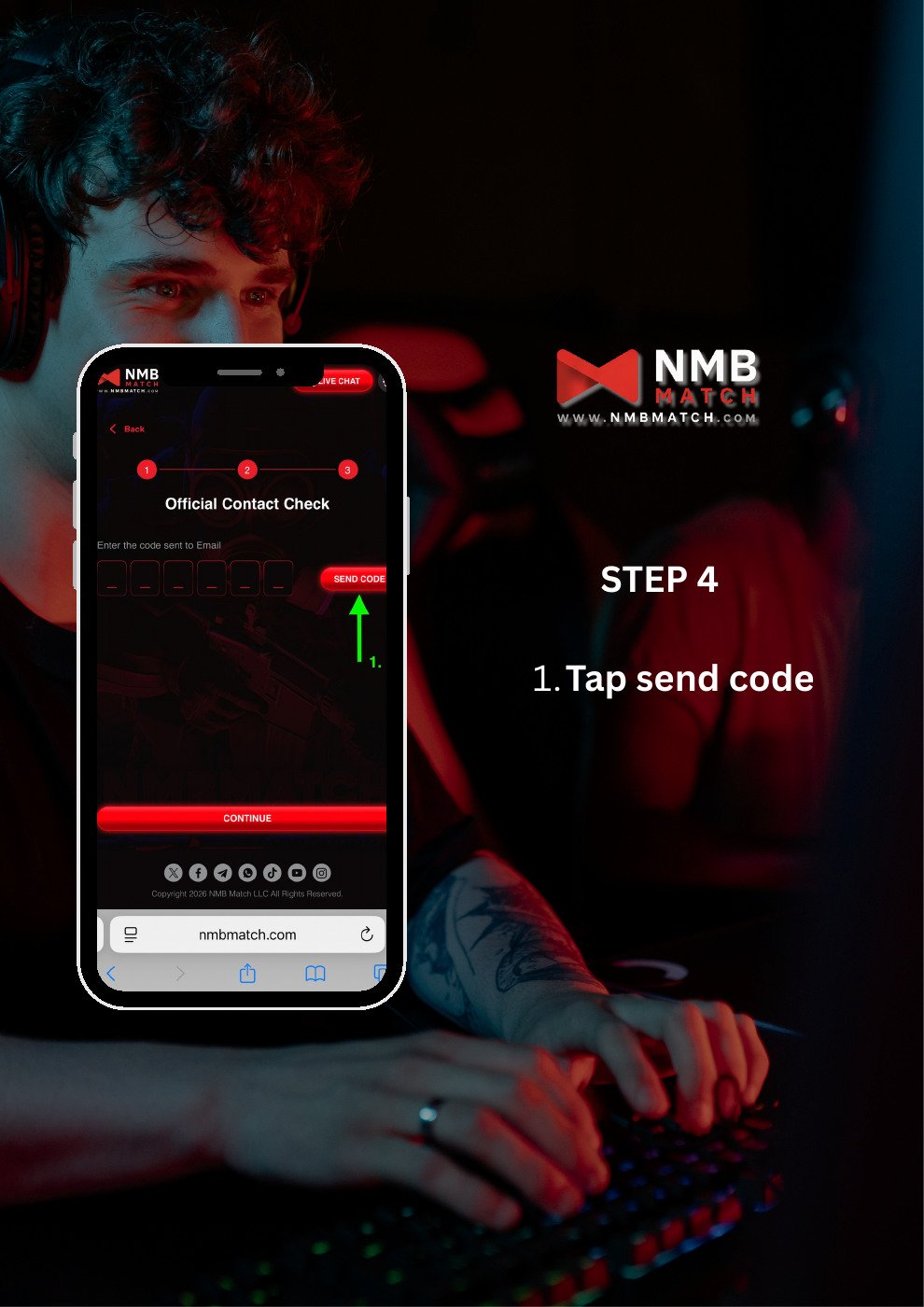
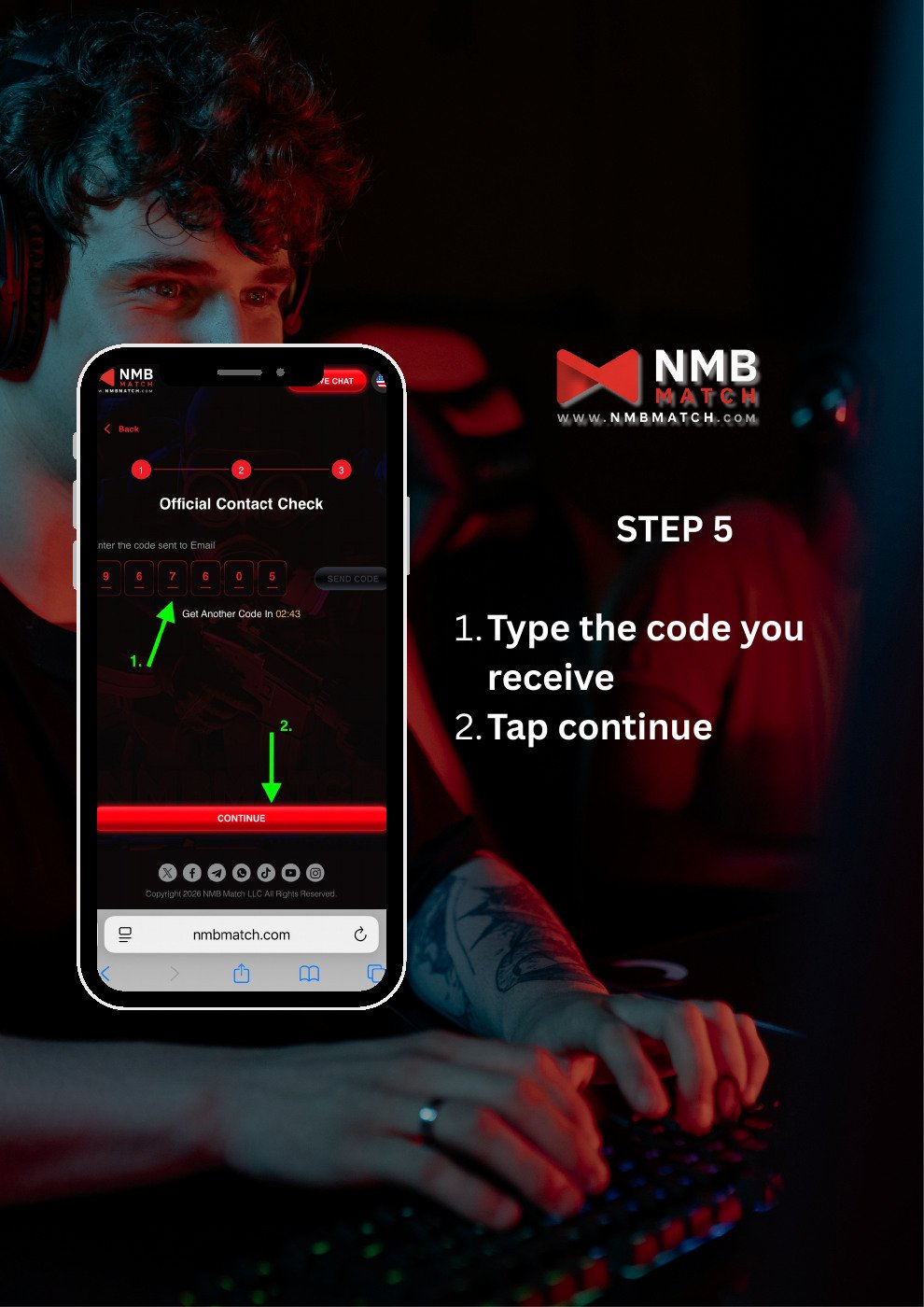
Step 5: Verify your email
- Enter the verification code you received.
- Tap Continue.
Step 6: Check the registration confirmation
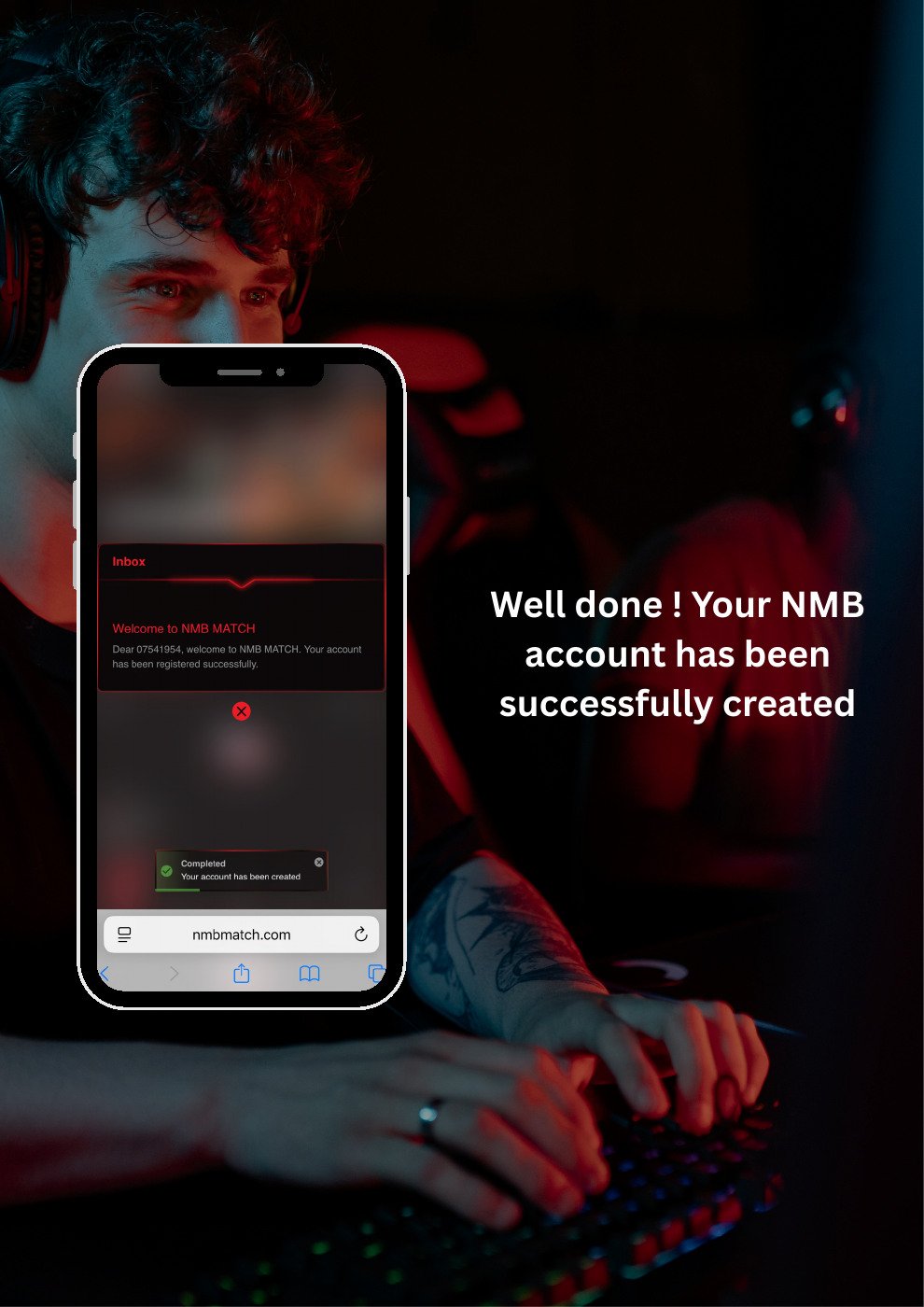
Look for the welcome or account creation confirmation shown by NMB MATCH. This completes the registration sequence in the guide.