> ## Documentation Index
> Fetch the complete documentation index at: https://academy.nmbmatch.com/llms.txt
> Use this file to discover all available pages before exploring further.
# Register an account
> Create an NMB MATCH account and verify your email.
**Screenshot examples:** Use your own account and payment details. Copy wallet addresses from your current account, never from an image. Fees, limits, and available options may differ.
**Before you start:** Have access to your email inbox, your mobile number, and the invitation code you will use to register.
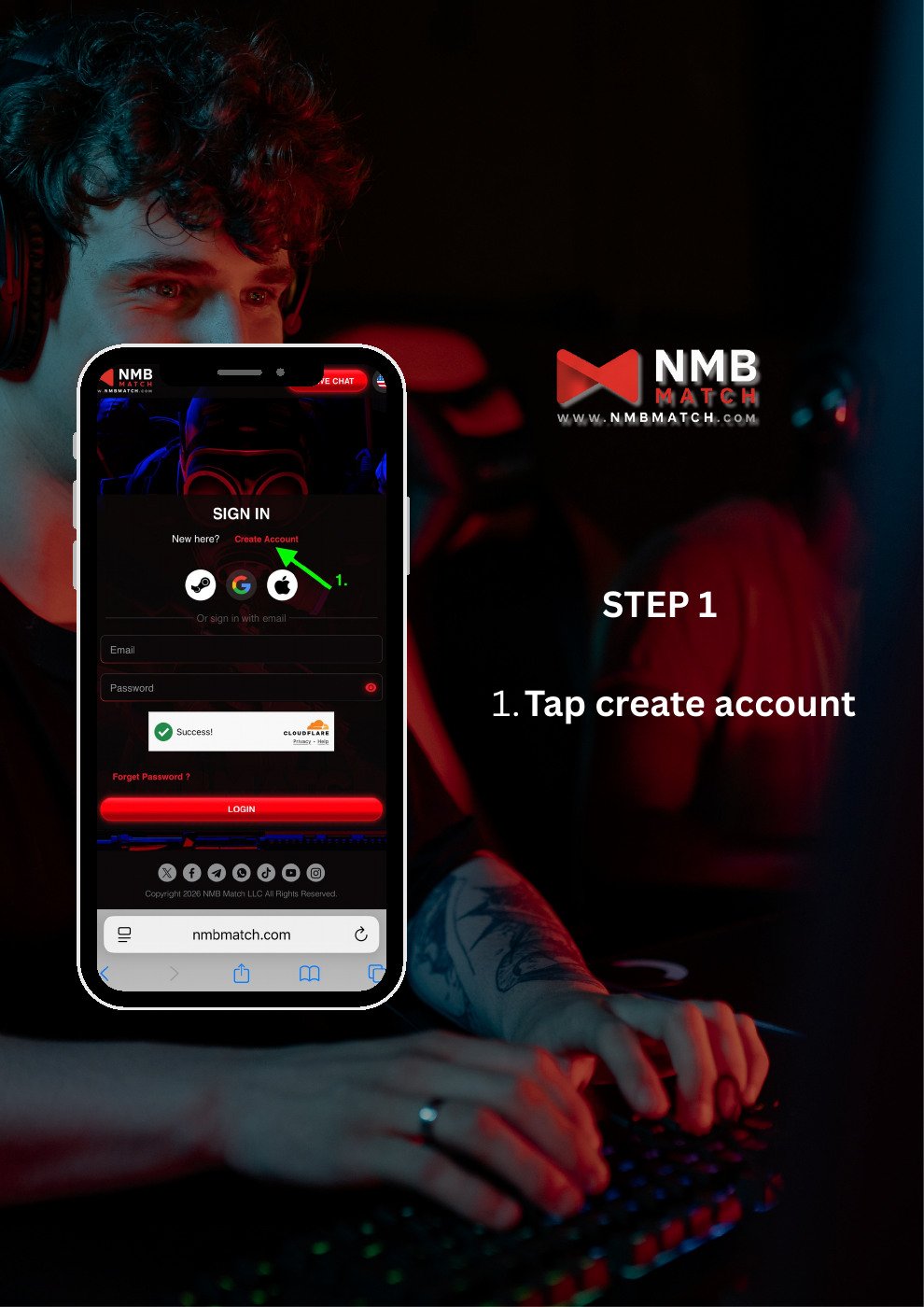
## Step 1: Open account registration
On the NMB MATCH sign-in screen, tap **Create Account**.
 ## Step 2: Enter your email and invitation code
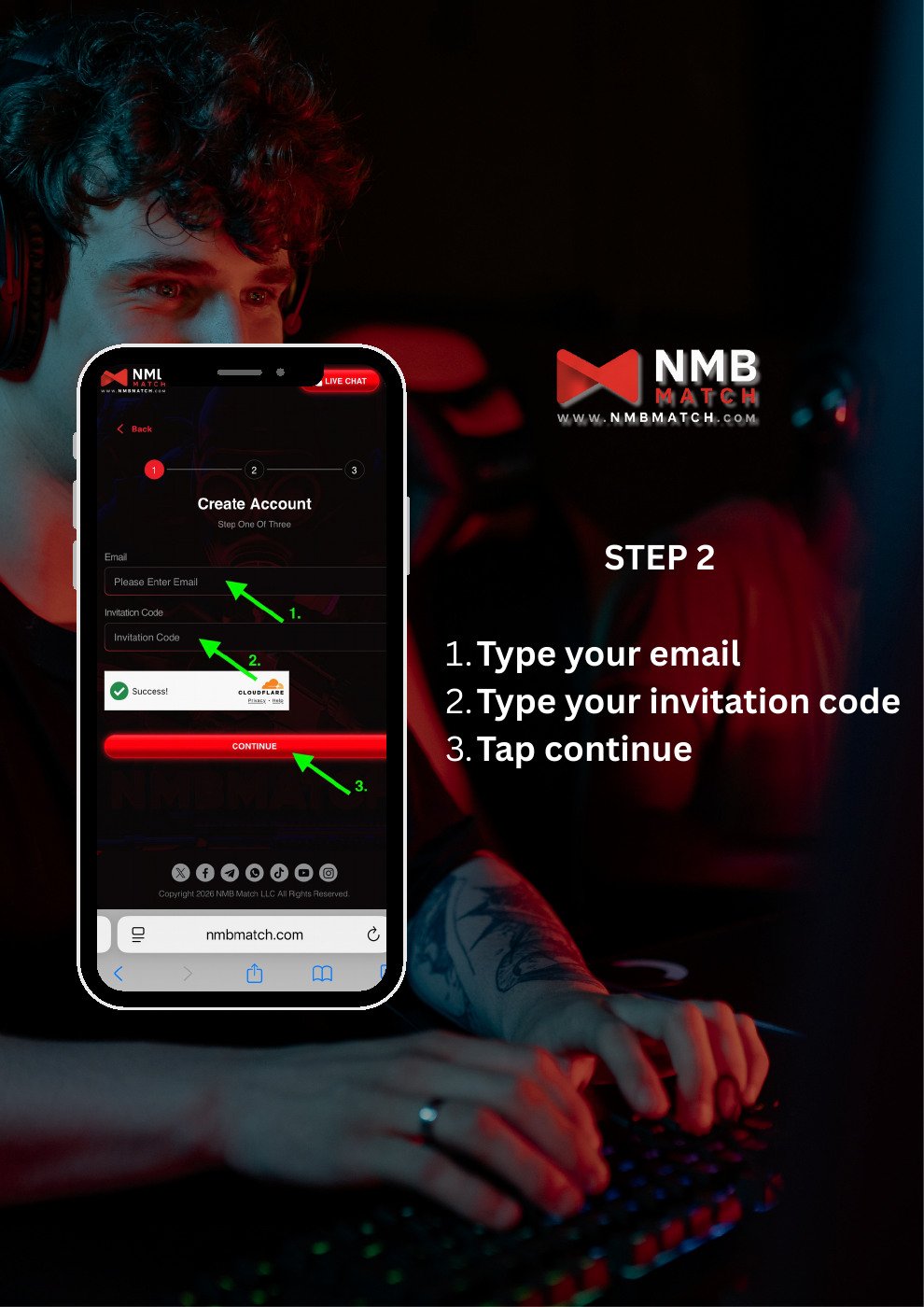
1. Enter your email address.
2. Enter your invitation code.
3. Complete the on-screen verification if prompted.
4. Tap **Continue**.
## Step 2: Enter your email and invitation code
1. Enter your email address.
2. Enter your invitation code.
3. Complete the on-screen verification if prompted.
4. Tap **Continue**.
 ## Step 3: Complete your account details
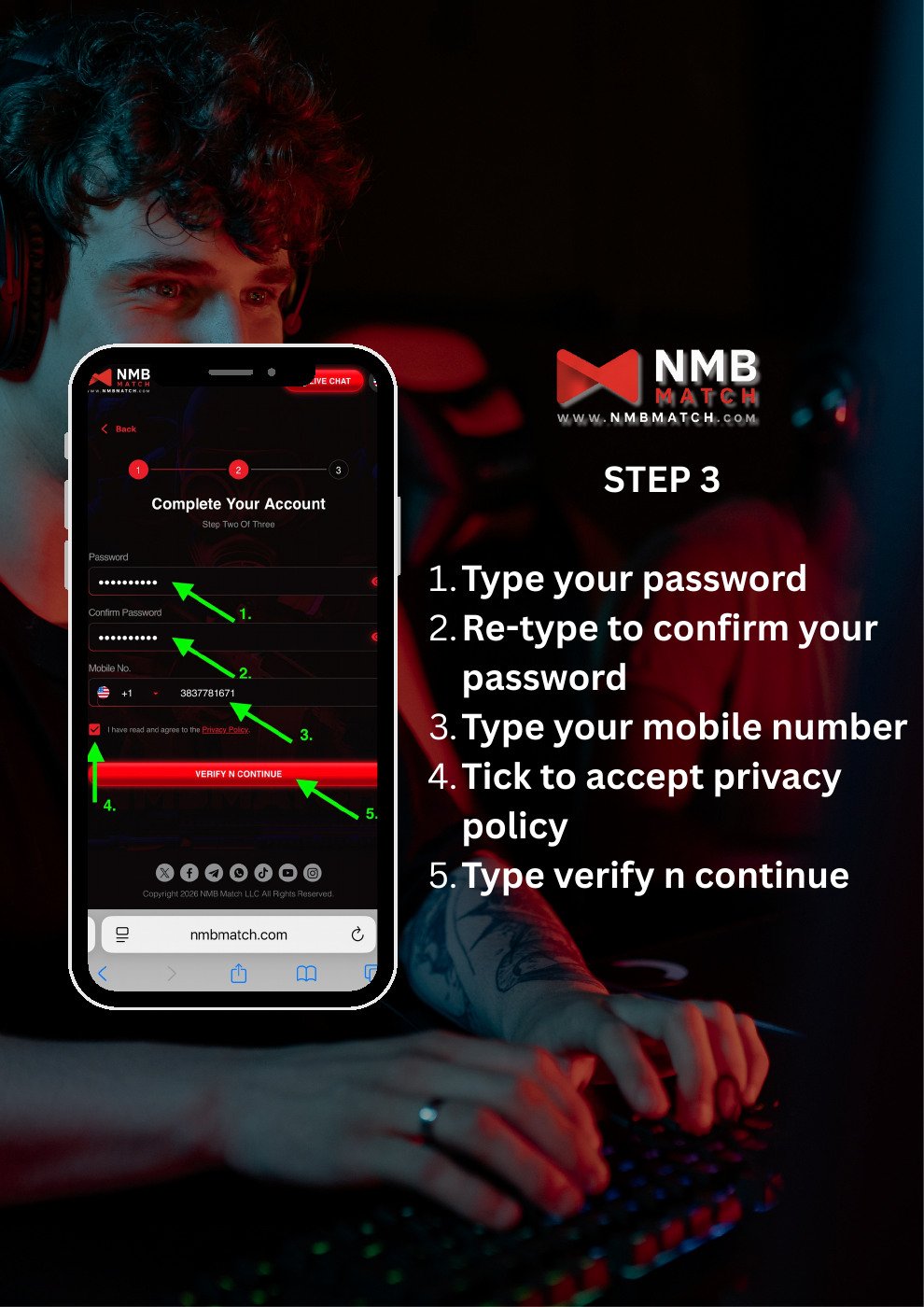
1. Enter a password.
2. Enter the same password in **Confirm Password**.
3. Select your country code and enter your mobile number.
4. Read the Privacy Policy and select the agreement checkbox if you agree.
5. Tap **VERIFY N CONTINUE**.
## Step 3: Complete your account details
1. Enter a password.
2. Enter the same password in **Confirm Password**.
3. Select your country code and enter your mobile number.
4. Read the Privacy Policy and select the agreement checkbox if you agree.
5. Tap **VERIFY N CONTINUE**.
 ## Step 4: Request a verification code
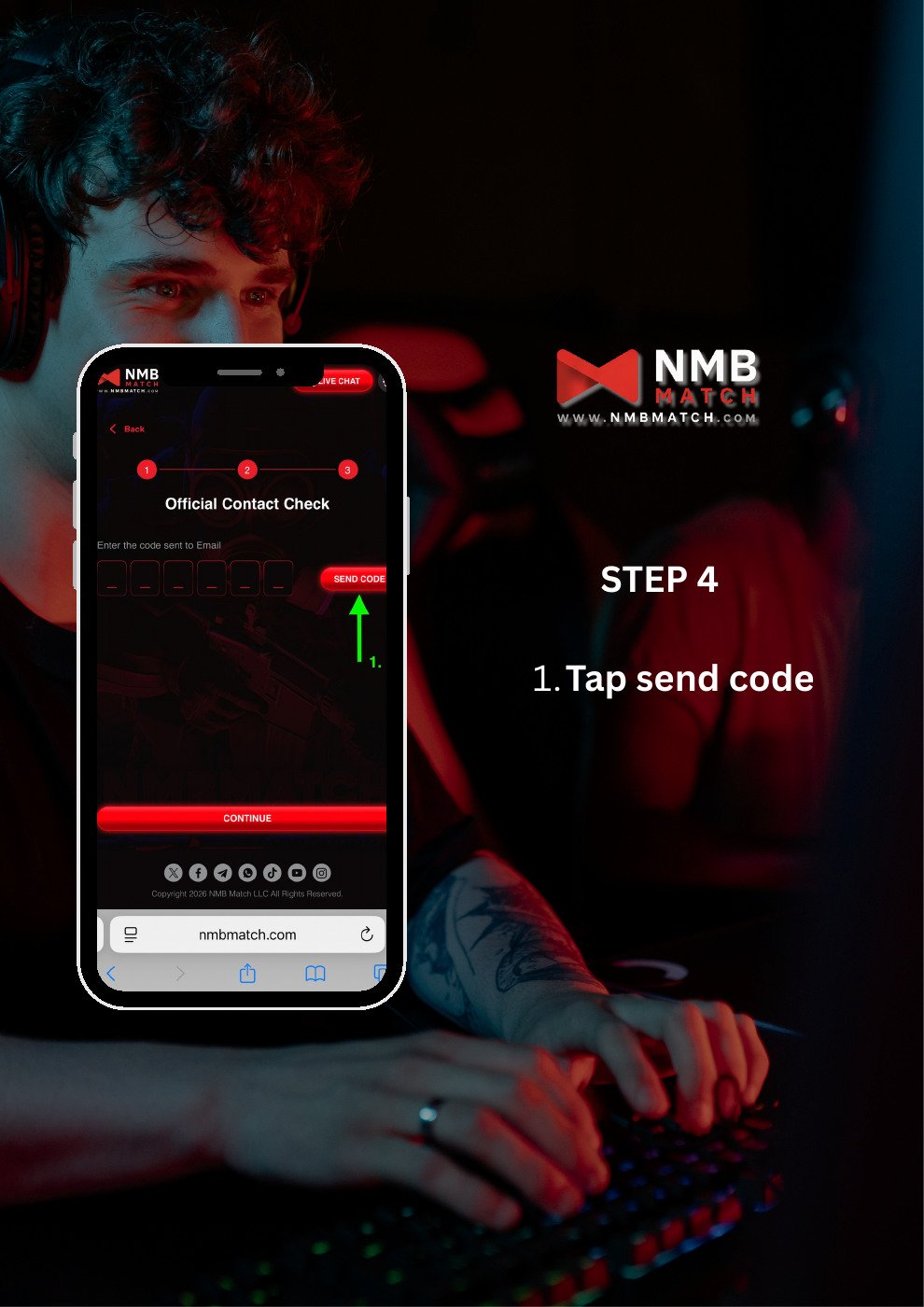
On the contact verification screen, tap **Send Code**. Check the email inbox for the address used during registration.
## Step 4: Request a verification code
On the contact verification screen, tap **Send Code**. Check the email inbox for the address used during registration.
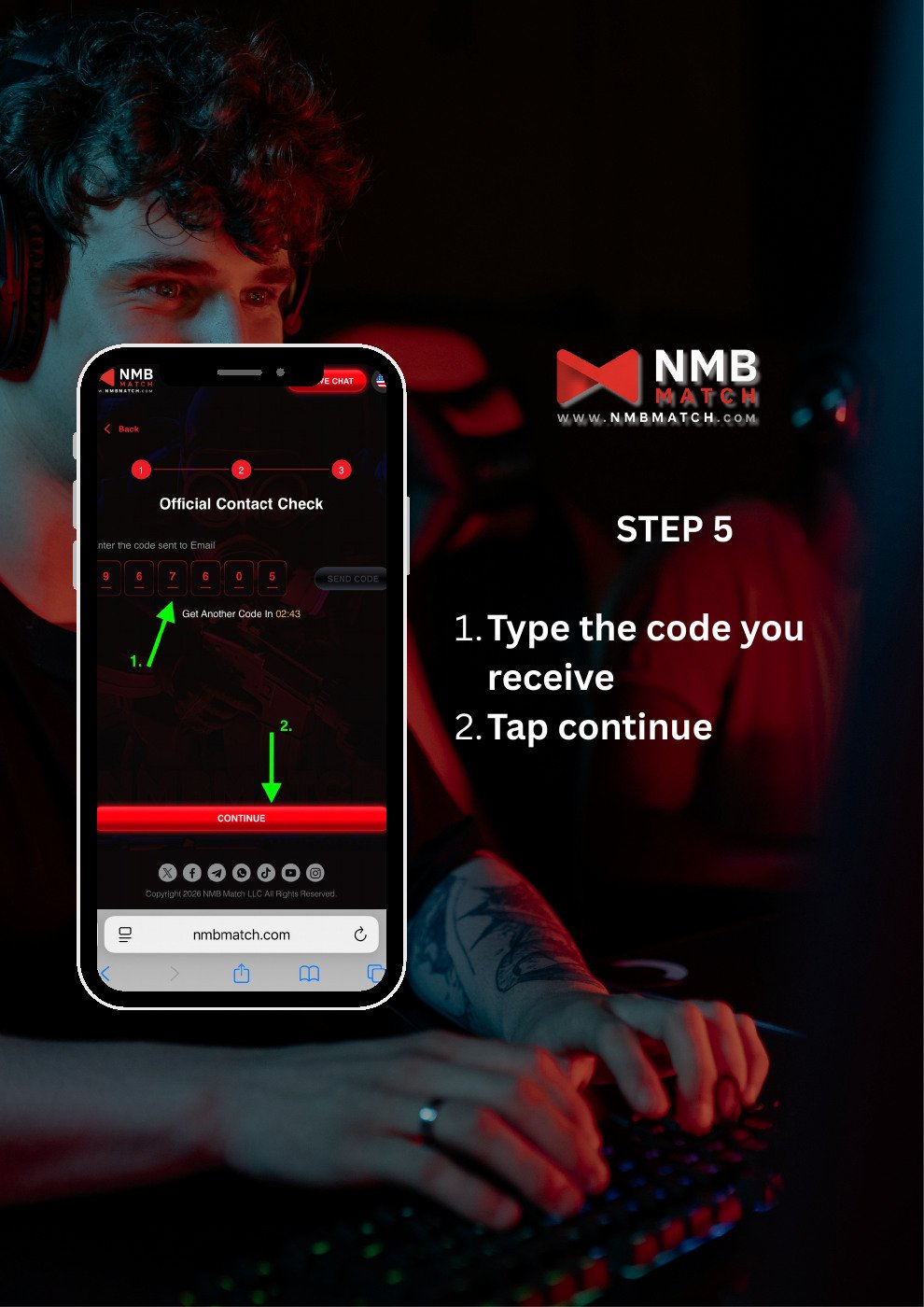
 ## Step 5: Verify your email
1. Enter the verification code you received.
2. Tap **Continue**.
## Step 5: Verify your email
1. Enter the verification code you received.
2. Tap **Continue**.
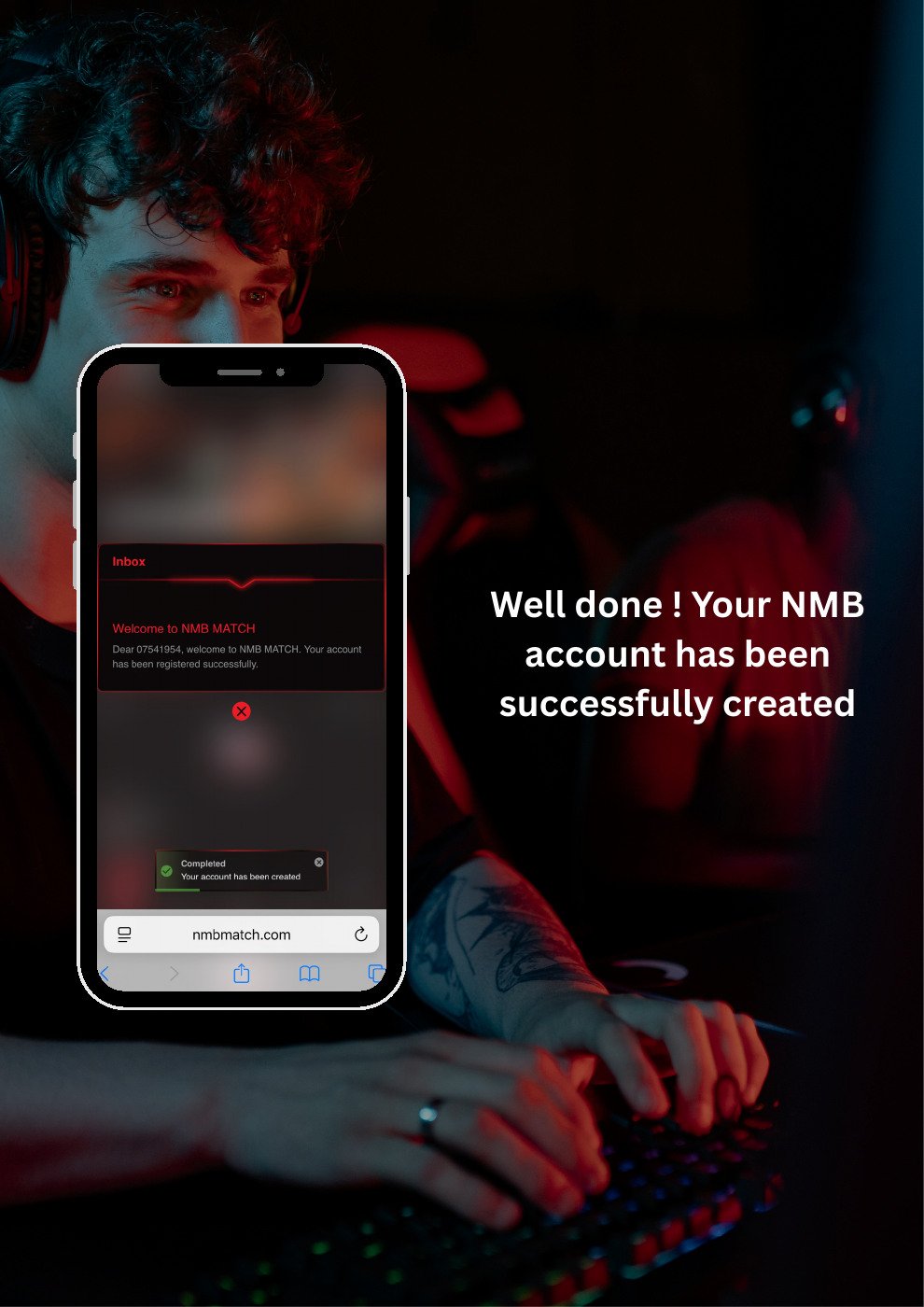
 ## Step 6: Check the registration confirmation
Look for the welcome or account creation confirmation shown by NMB MATCH. This completes the registration sequence in the guide.
## Step 6: Check the registration confirmation
Look for the welcome or account creation confirmation shown by NMB MATCH. This completes the registration sequence in the guide.
 This documentation is built and hosted on [Mintlify](https://mintlify.com), a developer documentation platform.